You grab your phone first thing in the morning. It handles calls, snaps photos, guides you through traffic, and streams videos for fun. That’s the power of a smartphone right there in your pocket.
A smartphone is a handheld device that mixes phone calls with computer smarts. It uses a touchscreen for apps, internet browsing, emails, and games. You control it all with taps and swipes. Billions rely on these tools daily because they fit life perfectly.
This post breaks it down. You’ll learn the quick history, key hardware parts, software that runs it, step-by-step action from your touch, connections for the world, and 2026 trends. By the end, you’ll see why these devices changed everything.
From Clunky Bricks to Sleek Supercomputers: The Smartphone Story
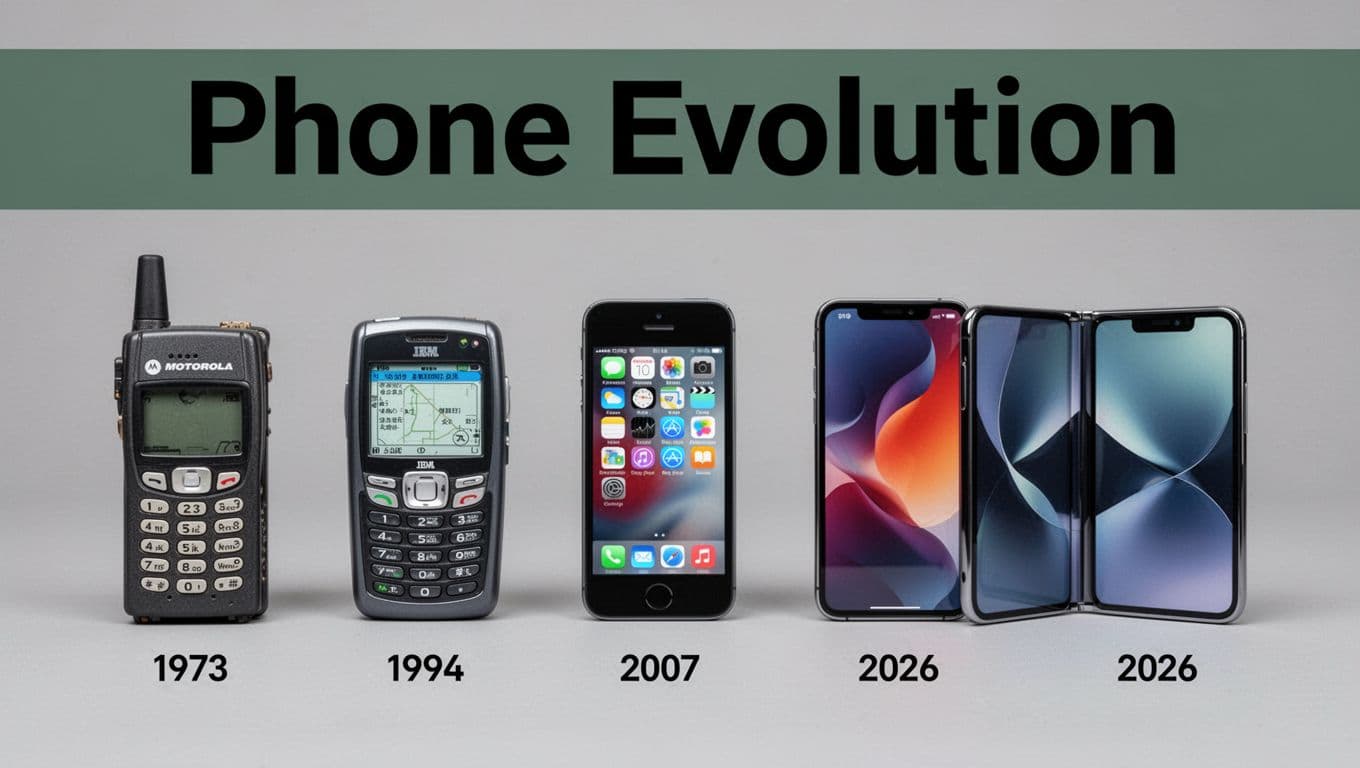
Motorola engineer Martin Cooper made the first cell phone call in 1973. His bulky brick weighed over two pounds and lasted 30 minutes before recharging. People dreamed big, but tech lagged.
Fast forward to 1992. IBM launched the Simon Personal Communicator, the first true smartphone prototype. It had a touchscreen, apps for email and calendar, and even a calculator. For more on this early milestone, check smartphone history from IBM Simon onward. Yet it cost $900 and battery died after an hour.
Ericsson coined “smartphone” in 1997 for devices with PDA features and calls. Then 2007 hit hard. Apple’s iPhone brought full internet, a smooth touchscreen, and an app store. It shrunk everything into a sleek slab. Android followed in 2008 from Google, powering phones from Samsung, HTC, and more.
These steps made phones small, cheap, and vital. Early ones targeted businesses. Now anyone uses them. History shows progress: from bricks to pocket powerhouses you can’t live without.
The Hardware Heroes Powering Your Phone
Hardware forms the backbone. It turns ideas into action. Processors juggle tasks. Screens show results. Batteries keep it going.
Modern phones pack tiny parts with huge power. For a deeper look at internals like processors and sensors, see this guide to smartphone components.
Processor: The Tiny Brain Running Everything
The processor acts as the brain. It sits on a chip smaller than your fingernail. Today’s models use 3nm tech for speed without heat.
Multi-core designs handle games, videos, and calls at once. You stream music while scrolling social media. No lag because cores split work. Qualcomm and Apple lead with chips like Snapdragon or A-series.
Screen and Sensors: Touch, See, and Feel
Touchscreens span 6 to 7 inches. OLED panels deliver bright colors and deep blacks. You tap icons or swipe to zoom.
Sensors add magic. Accelerometers track steps or tilt for games. Gyroscopes sense direction. GPS pins your spot. Light sensors tweak brightness. Fingerprint pads unlock fast. They make phones aware of you and the world.
Battery and Camera: Power and Picture Perfection
Batteries hold 4000 to 5000 mAh now. They last a full day with smart software. Early phones needed constant plugs. Not anymore.
Cameras pack 100+ megapixels. AI sharpens shots in low light. You get pro photos anytime. Night mode pulls details from dark scenes.
Software: The Smarts That Bring It to Life
Software glues hardware together. It runs the show. Without it, parts just sit idle.
The operating system (OS) controls everything. It manages touches, apps, and security.
iOS and Android: Choosing Your Phone’s Command Center
iOS powers Apple iPhones. It feels smooth and secure. Updates come quick for years.
Android fits Samsung, Google, and others. You customize looks and add widgets. Both handle apps and features well. Pick based on your style.
Apps: Endless Possibilities at Your Fingertips
Apps are mini-programs. Download from App Store or Google Play. Millions exist for chats, fitness, or edits.
Camera apps tap hardware sensors. Games use the processor. AI now predicts texts or sums photos. First apps came in 1997. Today they do almost anything.
Step by Step: How Your Smartphone Turns Touches into Action
Power flows like this. Each step builds on the last.
- Battery wakes the processor and screen.
- You touch the display. Sensors catch it and signal the processor.
- OS grabs the input and launches an app, say camera.
- App pulls data from sensors or storage.
- Processor crunches numbers and sends output to screen or speakers.
- Results save to memory or share online.
Take a photo: Tap shutter. Camera grabs light. Processor enhances it. Screen shows the pic. Simple, yet powerful.
Connected Safely: Networks, Protection, and What’s Next
Phones link to the world. 5G blasts data fast. WiFi saves mobile quotas at home.
Super Connections: 5G, WiFi, Bluetooth, and NFC Explained
5G streams video without stutter. Downloads finish in seconds. WiFi hooks to routers for big files. Bluetooth pairs earbuds wirelessly. NFC taps for payments at stores.
Real life shines: Drive with GPS on 5G. Pay coffee with a bump.
Security Shields Keeping Your Data Safe
Biometrics lock it down. Face ID scans with cameras and sensors. Fingerprints match prints fast. PINs back them up.
Privacy matters. Apps can’t peek without okay. Updates patch holes.
Tomorrow’s Smartphones: Foldables, AI, and Beyond
2026 brings heat. Foldables like Samsung Galaxy Z Fold 7 and Honor Magic V6 fold slim with tough hinges. Solid-state batteries in Motorola models charge 80% in 15 minutes and last days.
AI processors like Snapdragon 8 Elite Gen 5 edit photos on-device. Health sensors in iPhone 17 Pro Max track heart and sleep. Satellite links call from nowhere. For trends like these, read 2026 smartphone innovations.
Eco designs cut waste too. Your next phone will amaze.
Smartphones blend calls, computers, and connections into one tool. History shrank them. Hardware powers tasks. Software adds smarts. Touches spark action. Links keep you safe and close.
Check your phone’s specs today. Try a new app. What feature do you love most? Share below. Understanding boosts your appreciation.